The Best Apps for Seminary Students: 10 Tools, Ranked
A roundup of ten tools reshaping how seminary students engage with Scripture, original languages, and theological research.

When Princeton Theological Seminary overhauled its core curriculum in 2023, faculty noted something that would have been unremarkable in any other industry: most students were already doing their exegetical work on screens. Greek lexicons that once occupied shelf after shelf in seminary libraries were being consulted on phones between classes. Dissertation bibliographies were being managed by software, not index cards. The commentaries that defined a century of evangelical scholarship had migrated from bound volumes to searchable databases.
The shift is generational, but the tools driving it are specific. A new cohort of applications, some purpose-built for biblical studies and others adapted from academic workflows in adjacent fields, has fundamentally altered how seminarians engage with Scripture, original languages, and the secondary literature that surrounds both. This roundup surveys ten of them, ranked not by market share but by what they actually offer a serious student of Scripture.
1. Accordance Bible Software
Platforms: macOS, Windows, iOS | Pricing: One-time purchase from ~$49; library add-ons vary
Accordance is the tool that seminary professors tend to recommend quietly, in office hours, to students who are ready to do serious work. It does not have Logos' marketing budget or name recognition among incoming students, but among specialists in New Testament and Old Testament studies it has a reputation for precision that the larger platforms do not match.
The application's Greek and Hebrew toolset is regarded by many original-language scholars as more rigorous and less cluttered than its competitors. Morphological tagging, interlinear display, and syntactic analysis are all deeply integrated. The business model differs from the subscription-heavy alternatives: Accordance sells modules as one-time purchases, which appeals to students who plan to use the software for decades and want to own their library rather than rent access to it.
Mac users have historically preferred Accordance; it was originally built for that platform and continues to feel native there in ways that matter over long research sessions. For students whose seminary program centers on original language exegesis, it is worth learning before reaching for the more obvious options.
2. Blue Letter Bible
Platforms: Web, iOS, Android | Pricing: Free
Blue Letter Bible has served the biblical studies community for over two decades, and its user base (7.5 million annual visitors) reflects how deeply it has embedded itself in the research habits of pastors, students, and lay scholars. The platform's central strength is its integration of Strong's Concordance with the full biblical text: clicking any word in the English translation surfaces the underlying Greek or Hebrew, the lexical entry, and every occurrence of that root across Scripture.
The commentary library covers over forty volumes, including Calvin, Matthew Henry, and John Gill, available without charge. For students without institutional library access, Blue Letter Bible provides a functional research environment at no cost. The platform's age shows in its interface, which has not kept pace with modern design expectations, but for targeted lexical work or quick access to the Reformed and patristic commentary traditions, it remains a legitimate scholarly tool and requires no budget.
3. Anki
Platforms: Web, macOS, Windows, Linux, Android (free); iOS ($24.99) | Pricing: Free except iOS
Anki is not built for biblical studies. It is a general-purpose spaced repetition flashcard system used across domains from medical school to language acquisition. Its relevance to seminary education is specific: Greek and Hebrew vocabulary decks, built and shared by instructors and students at institutions worldwide, are among the most widely used resources for ancient language acquisition on the platform.
The algorithm adjusts review intervals based on recall accuracy, surfacing cards that are about to be forgotten more frequently than those well-retained. For students managing large vocabulary loads (the first year of Greek or Hebrew typically requires active retention of 1,000 to 1,500 words), spaced repetition is among the most empirically supported methods available. Anki is the most configurable implementation of that method.
The interface is utilitarian to a fault, particularly on desktop, and the learning curve for deck creation is steep. But the underlying algorithm has a long empirical track record, and the community-built decks for biblical languages reduce setup friction considerably for students who would rather study than configure software.
4. BibleTimes
Platforms: Web, iOS (progressive web app) | Pricing: Free; Scholar tier for full access
BibleTimes takes a different approach from the library-aggregation model that defines most scholarly Bible software. Where the major platforms are built around search and cross-reference, BibleTimes structures engagement around pericopes, the discrete narrative and literary units that correspond to how biblical scholarship actually reads Scripture. The result is a reading environment designed for formation, not just research.
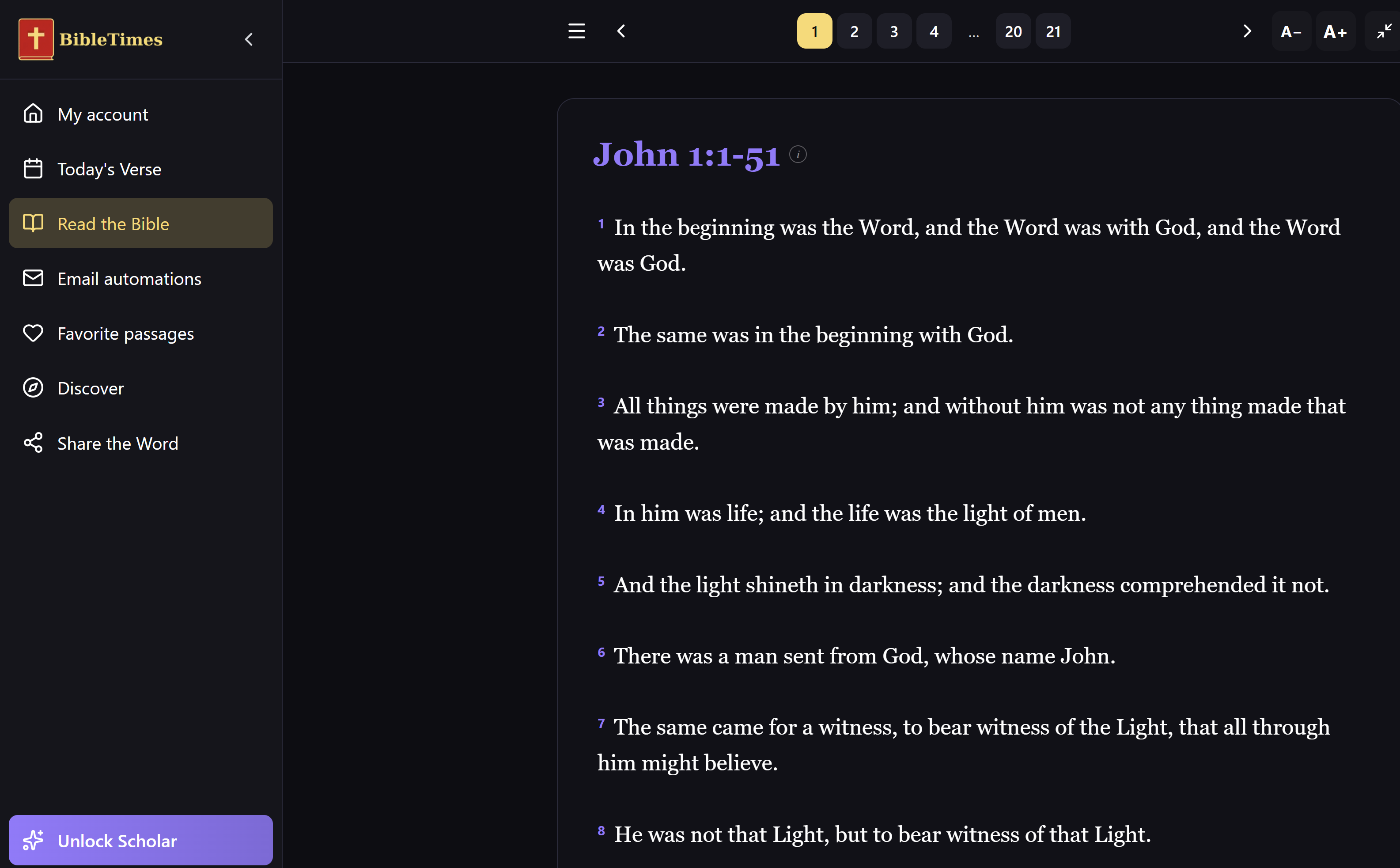
The platform's lens system is its defining feature. Readers can approach any passage through twelve distinct interpretive frameworks simultaneously: historical-critical, canonical, theological, contemplative, prophetic, wisdom, ethical, and others. Each lens surfaces a different dimension of the text without forcing a single interpretive conclusion. Commentary is contextual and tied to the passage as a whole rather than fragmented by verse, which means the reader engages the text the way scholars engage it, not the way a concordance does.
The Scholar tier unlocks the full lens system, extended commentary, and cross-passage navigation across the biblical corpus. The progressive web app works on iOS without requiring an App Store download, which matters for students who move between devices. For a student developing the habits of attentive reading that serious theological education requires, BibleTimes is built specifically for that purpose in a way that none of the research platforms are.
5. Zotero
Platforms: Web, macOS, Windows, Linux | Pricing: Free; storage from $20/year
Zotero is the most widely adopted free citation manager in academic research, and its support for SBL (Society of Biblical Literature) citation format, the standard in most theological journals and dissertations, makes it specifically relevant to seminary work.
The application integrates with word processors including Word and Google Docs, capturing citation metadata from library databases, JSTOR, Google Scholar, and publisher websites via a browser extension. Annotations can be added to PDFs stored in the Zotero library, creating a searchable research archive that follows the researcher across institutions and projects.
For thesis and dissertation work in particular, the investment in learning Zotero early in a seminary career pays compounding returns. Students who build citation libraries systematically from their first year find them invaluable by their third.
6. Logos Bible Software
Platforms: macOS, Windows, iOS, Android, Web | Pricing: Subscription from $8.33/month; academic discounts available
Logos is the industry standard for seminary-grade biblical software, and its position in this list reflects its actual utility rather than its market dominance. The platform aggregates tens of thousands of books, journals, and reference works into a unified research environment that cross-links texts automatically. Searching a Greek word in a passage surfaces lexical entries, grammatical forms, occurrences across the biblical corpus, and relevant scholarly commentary without requiring the researcher to leave the interface.
Recent versions have added AI-assisted features: a sermon assistant, a passage analysis tool, and contextual notes generated from the library a scholar has licensed. These tools vary in quality, as most LLM-assisted features in specialized domains tend to, but the underlying infrastructure remains unmatched in breadth. For institutions, Logos offers educational pricing and site licenses that can dramatically reduce per-student cost.
The learning curve is real: students who have not used the software before often require a semester to reach fluency, but the ceiling is correspondingly high. Logos is not where students should begin. It is where they should arrive, once they have built the foundational habits that make a research platform useful rather than overwhelming.
7. Verbum
Platforms: macOS, Windows, iOS, Android, Web | Pricing: Subscription from $9.99/month
Verbum is Logos adapted for Catholic scholarship. Built on the same infrastructure, it adds a curated library of Catholic resources: the Catechism, the full Denzinger corpus, extensive Church Fathers collections, and the official texts of the Magisterium. For students at Catholic seminaries or those working in ecumenical contexts requiring fluency in the Catholic theological tradition, it is the most comprehensive digital option available.
The AI tools Verbum has introduced parallel those in Logos, with the addition of resources specifically curated for Catholic theological method. For students whose curriculum engages the Catholic intellectual tradition in depth, the specialized library more than justifies the investment.
8. Obsidian
Platforms: macOS, Windows, Linux, iOS, Android | Pricing: Free core; Sync from $10/month
Obsidian is a note-taking application built around bidirectional linking and local-first storage. Its adoption in academic circles reflects a broader dissatisfaction with hierarchical folder systems for managing the complex, interconnected bodies of knowledge that emerge from systematic theological study.
The application's graph view visualizes connections between notes, making patterns in theological thinking visible in ways that linear outlines do not support. Over a four-year seminary program, a well-maintained Obsidian vault can become a genuine second memory: lecture notes connected to primary sources, biblical cross-references linked to commentary notes, systematic theology concepts tied to their historical and exegetical foundations.
Obsidian's plugin ecosystem includes over a thousand community-built extensions. Several are specifically designed for biblical reference, Greek text display, and integration with Logos or Accordance. For students willing to invest in initial setup, it offers a research environment that can be shaped to their specific needs in ways that commercial software cannot.
9. Olive Tree Bible Study
Platforms: iOS, Android, macOS, Windows | Pricing: Free; enhanced resources from $60/year
Olive Tree occupies the middle ground between the professional-grade platforms and the lightweight consumer options. Its cross-platform sync is reliable, its mobile interface is well-optimized, and it supports over thirty Bible translations alongside commentaries and lexical tools. For students doing devotional reading, sermon preparation, or quick passage lookup across devices, it performs well without the infrastructure commitment that Logos requires.
The application is owned by HarperCollins Christian Publishing, which has made a significant library of reference works available through it. The free tier is functional, and the premium tier remains affordable compared to the major alternatives. For students who are not yet ready to commit to a full scholarly platform, Olive Tree is a reasonable intermediate step.
10. YouVersion Bible App
Platforms: iOS, Android, Web | Pricing: Free
YouVersion has been downloaded over 500 million times. It supports more than 1,800 Bible translations in over 1,000 languages. It has a social feed where users can highlight verses and share them with followers. Its reading plans run to the hundreds, covering topics from grief to productivity to marriage. It is a successful Bible app, but it is not a tool for seminary students.
YouVersion was built by Life.Church, a megachurch organization, for devotional and consumer engagement. Its design philosophy treats the Bible primarily as a source of daily inspiration rather than as a document to be studied with rigor. There are no original language tools. There is no lexical access. The commentary options are devotional rather than academic. The social features, which allow users to see what verses their friends have highlighted and to react to shared content, are antithetical to the kind of concentrated, undistracted reading that serious theological study demands.
The 1,800-translation count is marketing. A seminary student does not need 1,800 translations. A seminary student needs accurate access to the Greek and Hebrew, one or two reliable modern English translations, and a scholarly apparatus to interrogate the text. YouVersion provides none of those things. What it provides is volume and reach, which are valuable metrics in consumer software and irrelevant ones in a scholarly context.
Include it on a personal phone for daily reading if you find it helpful. Do not mistake it for a study environment.
A note on choosing tools
The digitization of seminary education is not a trend that will reverse. The question facing both institutions and students is which tools are worth learning deeply, and which serve specific, bounded purposes. Most students will benefit from a research platform (Accordance or Logos), a citation manager (Zotero), a vocabulary tool like Anki, and a reading environment built for formation. That last category is the one most students overlook, and it is where BibleTimes fills a gap the others do not.
None of these applications is a replacement for the habits of mind that serious theological education develops. But the best of them, used with intention, make those habits more accessible and more sustainable across the decades of ministry and scholarship that follow.